
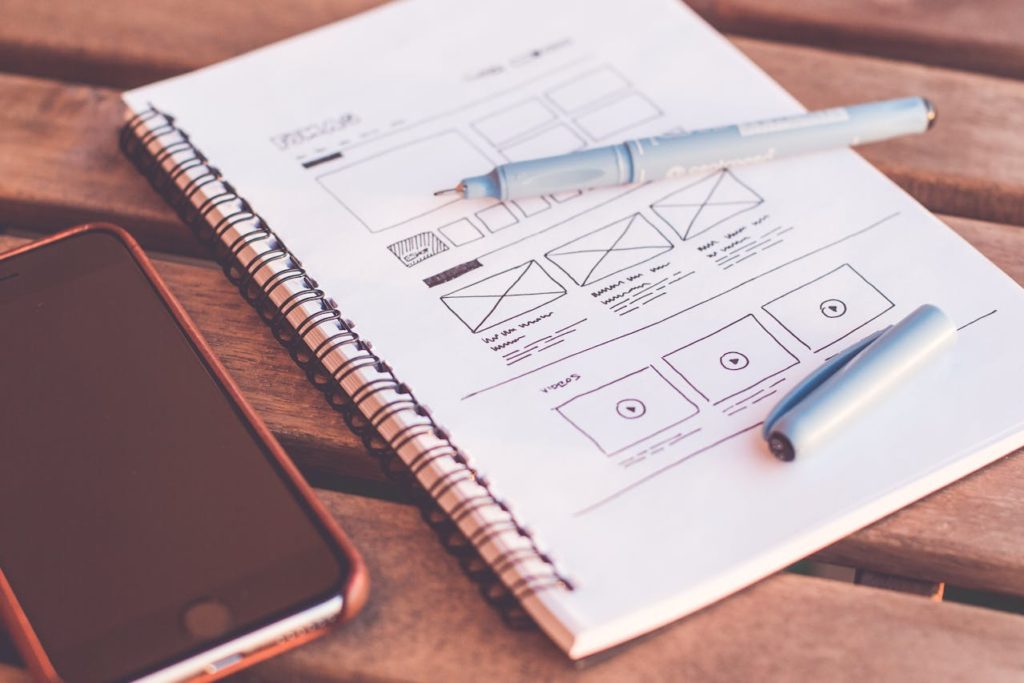
Yes, you can use Claude to build a landing page. It can help turn a business brief into page copy, a visual layout and working HTML, CSS and JavaScript. The important part is deciding what happens after the first preview: where the page lives, how enquiries reach you and who keeps it working.
This guide walks through a sensible approach for a small UK business, from the first prompt to the checks before launch. It is a planning and implementation guide based on official documentation, rather than a claim that we built and tested a live customer site inside Claude for this article.
A good preview is the beginning
You need four things for a useful campaign page: a clear offer, a page people can use, a real destination for enquiries and a reliable way to publish it.
What can Claude actually build?
A landing page is a focused page built around one next step. That might be requesting a callback, joining a waiting list or asking for a quotation. Unlike a full company website, it does not need to explain every service or take visitors through several navigation choices.
Claude can help draft the structure, rewrite an unclear offer, produce a visual design and generate code. Anthropic’s Claude Design documentation includes landing pages among the things you can create. Its Artifacts guide explains editing and exporting work, including designs exported as HTML or a ZIP.
That does not mean every result will be a complete website application. A visual prototype may show a booking button without a booking system behind it. Generated HTML may include a form that has nowhere to send its data. Ask what is implemented and what is still a placeholder.
Choose the simplest useful version
For a local window cleaner, the first page could explain the service area, show genuine before-and-after photographs, answer three common questions and invite a callback. Customer accounts, instant quotations and online payment can wait until there is a clear reason to add them.
This keeps the first build easier to review and gives you a way to find out whether people respond to the offer.
1. Write the brief before asking for a design
A vague instruction such as “make a modern business landing page” leaves most decisions to the model. You may receive a polished layout with generic wording, invented claims and sections you do not need. A short, specific brief gives you a better starting point.
- Audience: who is arriving, and what do they already know?
- Offer: what exactly can they request, buy or find out?
- Traffic source: a social advert, local search, email campaign or another page?
- Main action: one clear step, such as requesting a callback.
- Evidence: approved customer reviews, original photographs or examples you can substantiate.
- Practical limits: service area, opening hours, capacity and any exclusions.
- Editing: who will change prices, photographs and wording later?
For paid traffic, match the page to the advert. If the advert offers a free initial discussion, visitors should not land on a generic homepage and have to search for that offer. Explain the next step and what happens after they send their details.
Gather the real content first. Use placeholders for anything unconfirmed and keep a list of decisions still needed. Do not ask Claude to invent testimonials, awards, client logos or years of experience to fill empty space.
2. Use a prompt that includes the practical requirements
The example below is a starting brief for a fictional garden maintenance business. Replace the bracketed details with your own information. It requests a static page, so it should not be treated as a prompt for a complete booking or payment application.
Example landing page prompt
Create a responsive landing page for [business name], a garden maintenance business serving [real service area].

Goal: encourage homeowners to request a callback about regular garden maintenance. The page will receive traffic from a social media advert.

Use plain British English. Include:
• A clear headline explaining the service and location.
• A short introduction and one main callback button.
• Three service cards, genuine photograph placeholders, practical FAQs and a callback form.
• A clear explanation of what happens after an enquiry.
• A link placeholder for our actual privacy notice.

Use a restrained dark green and warm neutral design, readable text, generous spacing and subtle movement that respects reduced-motion preferences.

Build with semantic HTML and CSS. Keep JavaScript minimal. Avoid a framework unless there is a specific need for one. Include visible form labels, keyboard focus states and layouts that work on small phones.

Do not invent reviews, prices, credentials or results. Mark missing information clearly.

Do not make the form pretend to send an enquiry. Leave submission disabled and visibly labelled as a preview until a real form endpoint is connected.

Provide the files needed for hosting, identify dependencies and explain which parts still require setup or testing.
Ask for the proposed section order first if you are unsure about the message. Once that makes sense, ask for the design and code. It is usually easier to correct a headline in an outline than to untangle an elaborate page built around the wrong offer.
3. Improve the first version in small rounds
Review the first result as a potential customer. Can you tell what is offered without scrolling? Is the main button easy to find? Does the page answer the questions you would have before sharing your contact details?
Give specific feedback. “Make it better” is hard to assess. “Reduce the hero height so the first service cards appear on a laptop screen” is useful. Change one group of things at a time: wording, layout, imagery, then interaction.
Improve the message
“Replace the generic headline with a clear service and location. Remove unsupported claims. Explain the response process next to the form.”
Improve the layout
“Shorten the top section, increase body text contrast and make the callback button visible without hiding the page behind pop-ups.”
Keep a copy of a version that works before making major changes. Ask what files changed and check the main action again afterwards. A design adjustment can accidentally affect a button, mobile layout or validation message.
Use your own photographs where they show the actual business. For illustrations, make sure they are presented as illustrations. A generated picture should not imply that a particular person is an employee or that a fictional project is completed client work.
4. Choose how the landing page will be published
There are three separate stages to keep in mind: reviewing a design, sharing work for feedback and publishing a public website. A preview link is useful for discussion, but it does not settle your domain, form delivery, editing or search settings.
Anthropic’s current sharing guidance distinguishes newer artifacts from legacy ones. Sharing options depend on the artifact and plan. Check access in a signed-out browser; do not assume that a link you can open while logged in is publicly accessible.
| Route | Useful when | Check before committing |
|---|---|---|
| Share the design or artifact | You need feedback on the message and layout. | Who can open it, whether sign-in is required and which functions are real. |
| Host exported static files | You want a focused page with relatively infrequent changes. | Export format, hosting support, domain setup, form processing and how you will publish updates. |
| Build it into WordPress | Your business already uses WordPress or needs regular editing. | Theme integration, plugin compatibility, styles, updates and the enquiry workflow. |
For a simple static export, you should know which file is the entry page, where images live and whether a build command is needed. An HTML file with local images is a different hosting task from source code that expects a JavaScript build process.
As one documented option, Cloudflare Pages Direct Upload accepts prebuilt files through its supported upload methods. Its dashboard drag-and-drop route does not compile a Pages Functions folder. A page needing server-side form handling requires an appropriate deployment method or a separate form service.
For an existing WordPress site, avoid pasting a complete HTML document into a paragraph block. The generated page may contain its own document head, global CSS and scripts that conflict with the theme. Use a reviewed template, suitable block implementation or a developer-assisted integration, preferably on a staging copy first.
5. Make sure the enquiry form genuinely works
This deserves its own step because a form can look finished while doing nothing useful. A JavaScript message saying “Thank you” only proves that a message appeared. It does not prove that an enquiry reached a mailbox, database or customer management system.
MDN’s explanation of form submission describes how the browser sends data to a server and why server-side validation matters. The receiving system must validate input, process it and return an appropriate result. If email notification is part of your workflow, that must be configured too.
From a button click to a real message
- The visitor completes labelled fields.
- The browser sends the submission over HTTPS to a real endpoint.
- The receiving service validates it and applies spam controls.
- The enquiry is delivered or stored through the configured workflow.
- The page shows a success or failure result that reflects what happened.
A hosted form service, an existing WordPress form plugin or a reviewed server-side handler can provide the receiving part. Cloudflare’s HTML form tutorial illustrates a form communicating with a server-side function; simply uploading the visible form is not equivalent to setting up that handler.
Before sending traffic, submit a clearly labelled test enquiry with your own details. Confirm it arrives, check spam folders and try replying. Also test an invalid email address, a missing required field and a failed submission. People need a useful error message and another contact route if something goes wrong.
Only collect information you need for the initial conversation. Tell visitors how their details will be used and provide an accurate privacy notice. Keep private credentials out of browser code and public repositories; a form service’s documented public endpoint is different from a secret API key.
How much does a Claude landing page cost?
Separate the cost of generating the page from the cost of operating it. Claude’s published individual pricing, checked on 26 November 2026, lists a Free plan and Pro at US$20 when billed monthly, or US$200 billed annually. Usage limits apply and listed prices exclude applicable tax. Check your checkout for the actual currency and charge.
A subscription is optional for some projects, but it does not include every service a business page may need. Your budget depends on the hosting route, existing domain, form requirements and how much work you can confidently handle yourself.
| Budget item | What to establish |
|---|---|
| Claude access | Whether Free is sufficient, or a paid plan suits the work and usage needed. |
| Domain | Registration or renewal, ownership and whether an existing domain can be used. |
| Hosting | Production use, resource limits, support and any server-side functionality. |
| Forms and email | Submission limits, storage, notifications, spam protection and any paid service. |
| Human work | Copy review, design adjustments, integration, testing, accessibility and future changes. |
For a worked budgeting example, imagine you already own a domain and have suitable hosting. One month of Pro would add US$20 before applicable tax at the listed monthly rate. You would still need to allow for any paid form service and your time or a developer’s fee. That is an illustrative calculation, not a complete website quotation or a promise of a £20 website.
Compare the total effort with alternatives. If you spend several evenings fixing layouts and still cannot verify form delivery, paying someone to finish the technical work may be the better use of your budget. Our AI website builder versus web designer guide looks at that broader choice.
6. Check the page before you send visitors
Review the published page, not only the version inside Claude. Hosting, file paths and domain settings can introduce problems you did not see in a preview. Use a real phone as well as a desktop browser.
- Message: the offer, price conditions and service area are accurate.
- Content: all placeholders, invented proof and sample contact details are removed.
- Navigation: buttons, phone links and privacy links reach the intended destination.
- Forms: a test submission is received, errors make sense and a reply route works.
- Small screens: no sideways page scrolling, overlapping text or hidden controls.
- Keyboard use: links and fields can be reached in a sensible order, with visible focus.
- Reading: labels remain visible, contrast is clear and enlarged text still fits.
- Images: meaningful pictures have appropriate alternative text and files are not unnecessarily large.
- Movement: animation is restrained and reduced-motion preferences are respected.
- Recovery: you retain the files, know how to update them and can restore a working version.
For an advertising campaign, also check the destination while signed out, using the exact URL in the advert. Where tracking is used, verify the event represents a successful enquiry rather than any click on the submit button. Choose tracking and consent arrangements appropriate to your actual setup before the campaign starts.
Can a landing page built with Claude rank on Google?
Using AI to help produce a page does not establish whether it deserves to rank. Google’s guidance on generative AI content emphasises accuracy, quality and relevance, and warns about generating many pages without adding value.
Write for the person arriving: explain the actual service, answer useful questions and provide evidence you can stand behind. Give the page a descriptive title, a clear main heading and sensible links from relevant parts of your website. Check that the live page is publicly accessible and that you have not accidentally left it excluded from indexing.
A paid campaign page and a long-term search resource can have different jobs. A short callback page may suit a specific advert, while an informative service page needs enough substance to answer broader searches. Do not pad a landing page with repeated keywords just to make it longer.
For a wider platform decision, see our website builder comparison. If domain names and hosting are the uncertain part, our plain-English domain and hosting guide explains the foundations.
For a practical way to check search access, content and performance after launch, read our guide: Can AI-built websites rank on Google?
Common questions
Can I build a landing page with Claude for free?
You can start with the Free plan, subject to its limits. A draft or exported page may still need a domain, suitable hosting, form processing and testing. Check sharing and export options for the type of artifact you create.
Is a shared Claude artifact the same as my own business website?
It can be useful for sharing and feedback, but check access, editing, branding, enquiry handling and domain requirements separately. A public production page needs a setup that meets the business’s actual needs.
Can I put a Claude landing page into WordPress?
Yes, with an appropriate implementation. A complete HTML document usually needs adapting to the theme or a template. Ask for WordPress-compatible output and review any CSS, scripts and form integrations before using it on the live site.
Will Claude’s contact form email me automatically?
Only if a real receiving service or handler and its notification workflow have been configured. A visible form or success message alone does not confirm email delivery. Test the published version and check receipt.
Do I need Claude Code?
Not necessarily. You can work on a design or generate page files through a conversation. A code-based workflow becomes more useful when you need to manage a project, dependencies and deployment. Choose the route you can maintain.
When should I ask a web designer or developer to help?
When you cannot confidently review the result, need reliable integrations or want someone responsible for launch and support. You can still bring your brief and draft design; they can be a useful starting point for a focused discussion.
Have a draft, but unsure what comes next?
Tell us what you are trying to build and where you are stuck. We can talk through publishing, WordPress, forms or improving the page itself in a free initial discussion, with no obligation to commission work.
Request a free discussionProduct information checked on 26 November 2026. Features, sharing options and prices can change; the linked official guidance is the place to confirm current details.